
A Microsoft 365 outage broke work email for business and school users on Monday, and mailboxes were not fully back until early Tuesday. Microsoft first acknowledged the incident at 5:30 PM UTC on 31 August, which is around 11:00 PM in India. That timing put the worst of it overnight for Indian users, with the fallout landing on Tuesday morning.
One clarification first, because a lot of coverage blurred it. This hit Exchange Online, the cloud mail service behind work and school Microsoft 365 accounts. Free personal Outlook.com mailboxes are a separate service. If your company or college email stopped working, this is likely why. If your personal account misbehaved, that is a different question.
What the Microsoft 365 outage actually broke
Microsoft logged the incident in the admin centre as EX1464935. It later opened a second report, MO1465074, after confirming the problem reached beyond email. That second report listed OneDrive for Business, SharePoint Online, Microsoft Teams, Microsoft Purview and Microsoft Defender XDR as also affected, via BleepingComputer.
The symptoms Microsoft listed for Exchange Online were broad:
- Mail flow: delays or outright failures when sending or receiving messages.
- Search: slow, failed or incomplete results when searching inside a mailbox.
- Sign-in: authentication errors when trying to reach Exchange Online services.
- Admin tools: trouble opening or acting inside Exchange administration consoles.
- Mailbox operations: intermittent failures across message delivery workflows.
TechCrunch reported more than 5,000 Downdetector user reports by 2 PM ET, while BleepingComputer described tens of thousands of Outlook and Microsoft 365 users as affected. Microsoft classified the event as an incident rather than an advisory, the label it reserves for critical issues with noticeable user impact.
The cause Microsoft has given so far
Microsoft spent the first hours pointing at authentication. It then narrowed things down in an admin centre update.
“We’ve identified issues related to a core authentication configuration used by multiple internal services within the Exchange Online infrastructure,” Microsoft said, adding that it was testing a manual reset of those configurations at the individual server level.
In a status update at about 03:52 UTC on 1 September, roughly 9:20 AM in India, Microsoft said mailbox connectivity had returned to expected service thresholds. Search was still catching up at that point, with recovery actions continuing. Microsoft has not yet published a full post-incident review, so treat the authentication-configuration explanation as preliminary.
This is not an isolated Exchange Online failure. BleepingComputer notes a June incident that hit the mail flow pipeline across North America, Asia-Pacific and Europe, plus two separate April problems affecting mailbox access. That pattern matters. When email, files, chat and your security console all sit behind one authentication layer, a single misconfiguration takes the entire working day with it. Cloud migration was sold to businesses partly on reliability. A shared failure point is the part of that bargain nobody advertises.
How to check Microsoft 365 service health yourself
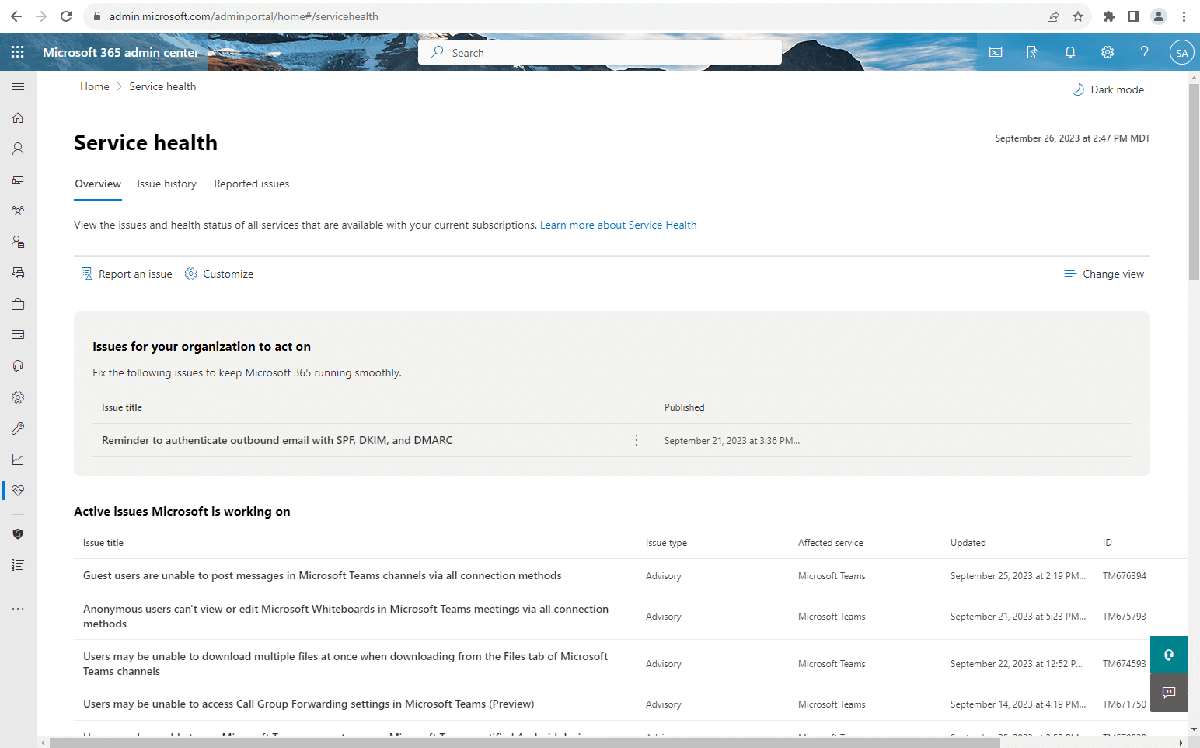
The most useful thing to take from this is knowing where to look, so you stop troubleshooting a laptop that is working fine. Microsoft documents three routes.
- If you are an admin: go to
https://admin.microsoft.com, sign in, then open Health > Service health from the left navigation. Microsoft’s documentation notes that the Service Support admin and Helpdesk admin roles can view this page, so you do not need to be a global admin. - If you cannot sign in: use the public status page at
https://status.cloud.microsoft/. Microsoft points to it specifically for the case where the outage itself is blocking you from reaching your tenant. - For faster updates: follow @MSFT365Status on X, which Microsoft recommends in the same documentation. Admins can also use the Microsoft 365 Admin app for push notifications.
Admins can additionally set up email alerts from that page via Customize > Email. If an issue is affecting you but is not listed, the Report an issue button feeds it back to Microsoft.
Service health also keeps a 30-day history under the History view, which is where Monday’s entries will sit once the incident closes. Worth a look if you need to explain the lost hours to someone.
Sources: Microsoft 365 documentation, BleepingComputer, TechCrunch
