
WhatsApp is rolling out three account security changes: you can now register more than one passkey per account, two-step verification moves from a six-digit PIN to a full alphanumeric password, and incoming calls from numbers you haven’t saved get extra context before you decide to answer. Meta announced all three in a newsroom post on 25 August 2026.
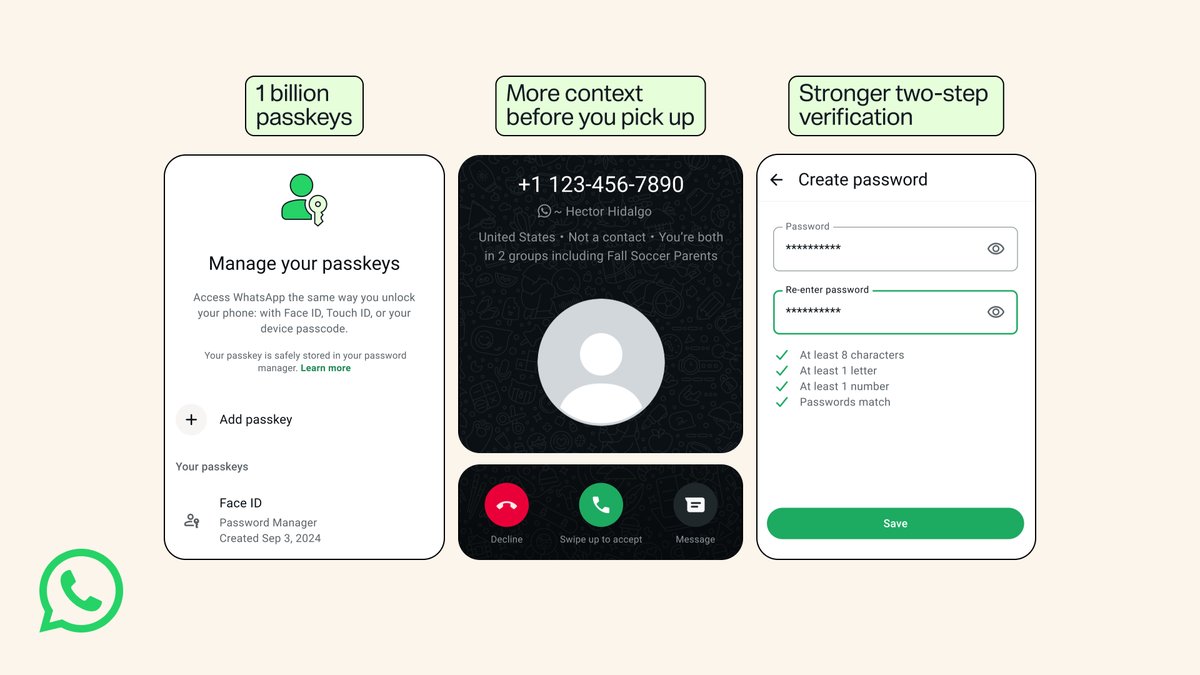
WhatsApp passkeys now work across Android and iOS at the same time
A passkey lets you log back into WhatsApp with a fingerprint, Face ID or your device’s screen lock instead of waiting for an SMS code. WhatsApp has supported them for a while, but the account was limited to a single one, which was awkward if you use an iPhone and an Android tablet, or the other way round.
That limit is gone. WhatsApp says more than a billion people have already set up a passkey, and you can now attach more than one to a single account if you use both Android and iOS devices. The setup path is Settings > Account > Passkeys.
This matters more than it sounds. SMS one-time codes are a well-worn target for fraud in India, with SIM-swap and OTP-forwarding scams both aimed squarely at that step. A passkey means your own sign-in no longer depends on a code that can be intercepted or talked out of you. It is not a shield against someone re-registering your number on their own handset, though — that still runs through an SMS code, and the setting that blocks it is two-step verification, below.
Two-step verification becomes a real password
WhatsApp’s two-step verification is the extra code the app asks for when your number is registered on a new device, and until now it was a six-digit PIN. It is now a full password — longer, alphanumeric, and it accepts special characters.
Six digits is a million combinations at best, and in practice a PIN like a birth year narrows that enormously. Moving to a password is an overdue fix rather than a flashy one, and it’s the single change here most worth acting on if you set your PIN years ago and never touched it again. Meta’s announcement doesn’t give a menu path for this one, so check under Settings > Account and see whether the option has changed shape in your build yet.
More context before you pick up an unknown call
On Android, a call from a number that isn’t in your contacts will now show extra information — whether the number is registered in a different country, and whether you share any groups with the caller. Meta’s post describes this as an Android change and doesn’t mention iOS.
Anyone in India who has fielded a WhatsApp call from a +44 or +255 number knows why this is useful. In WhatsApp’s own words:
Scammers rely on urgency — now you can take a beat with some more info before answering.
The part Meta’s framing skips over
Meta opens the announcement by invoking end-to-end encryption, which is fair enough as far as message content goes — none of this changes that. But everything announced here is account security, not privacy. None of it changes what Meta knows about who you talk to, when, and how often.
In fact the caller-context feature is a quiet demonstration of that. WhatsApp can tell you which country a stranger’s number is registered in and which groups you have in common because it holds that social graph already. The feature is genuinely useful; it’s just worth reading it as a use of metadata Meta keeps, not as evidence that it doesn’t keep any.
What to do now
Open Settings > Account in WhatsApp and check two things: whether Passkeys lets you add a second device, and whether two-step verification now offers a password field instead of a six-digit box. Meta hasn’t published a rollout schedule or a version number, so if you don’t see the new options yet, update the app from your store and check again in a few days. If you’ve never set up two-step verification at all, do that first — it’s the protection that stops someone re-registering your number even after they’ve talked an OTP out of you.
For more on how WhatsApp has been filling out its non-phone platforms, see our earlier piece on WhatsApp Web finally getting calling.
Source: WhatsApp
