
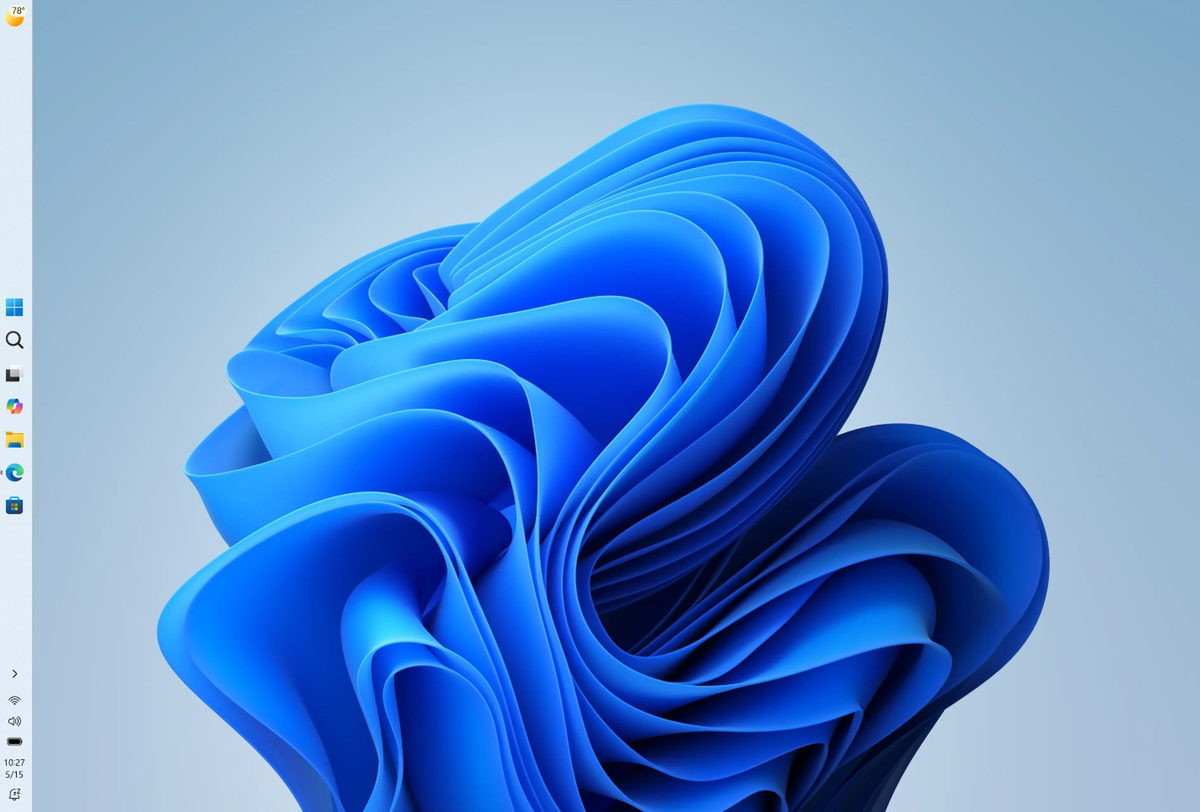
The Windows 11 taskbar position setting has reached the Beta Channel. In the builds Microsoft released on 31 July 2026, Insiders can move the taskbar to the top, left or right edge of the screen, and switch it to a shorter, smaller-icon layout. Both options had been locked to the Experimental channel since May. Beta is the last stop before a feature graduates to everyone, so this is the clearest sign yet that one of the most-requested Windows 11 changes since launch is actually on its way to everyone.
How the Windows 11 taskbar position setting works
The control lives at Settings > Personalization > Taskbar > Taskbar behaviors, next to the existing icon alignment option. You pick an edge: bottom, top, left or right. Microsoft’s release notes say tooltips, flyouts and animations follow the taskbar, so Start opens from wherever you have put it rather than from the bottom of the screen. Most existing taskbar settings, including “never combine” icons, keep working in the new positions.
Microsoft’s own explanation of why it bothered, from the Windows Insider Blog post that introduced the feature in May, is worth reading before you dismiss it as cosmetic:
For people who value vertical screen space, like developers who want to see more of their code at once, moving the taskbar to the side can help reclaim precious room on the screen.
That is the practical case on a 14-inch laptop, which is most of the Indian market. A vertical taskbar on the left with “never combine” turned on and labels shown gives you one clearly named button per window, which is closer to how the old Windows taskbar behaved than anything Windows 11 has offered so far.
The smaller taskbar option
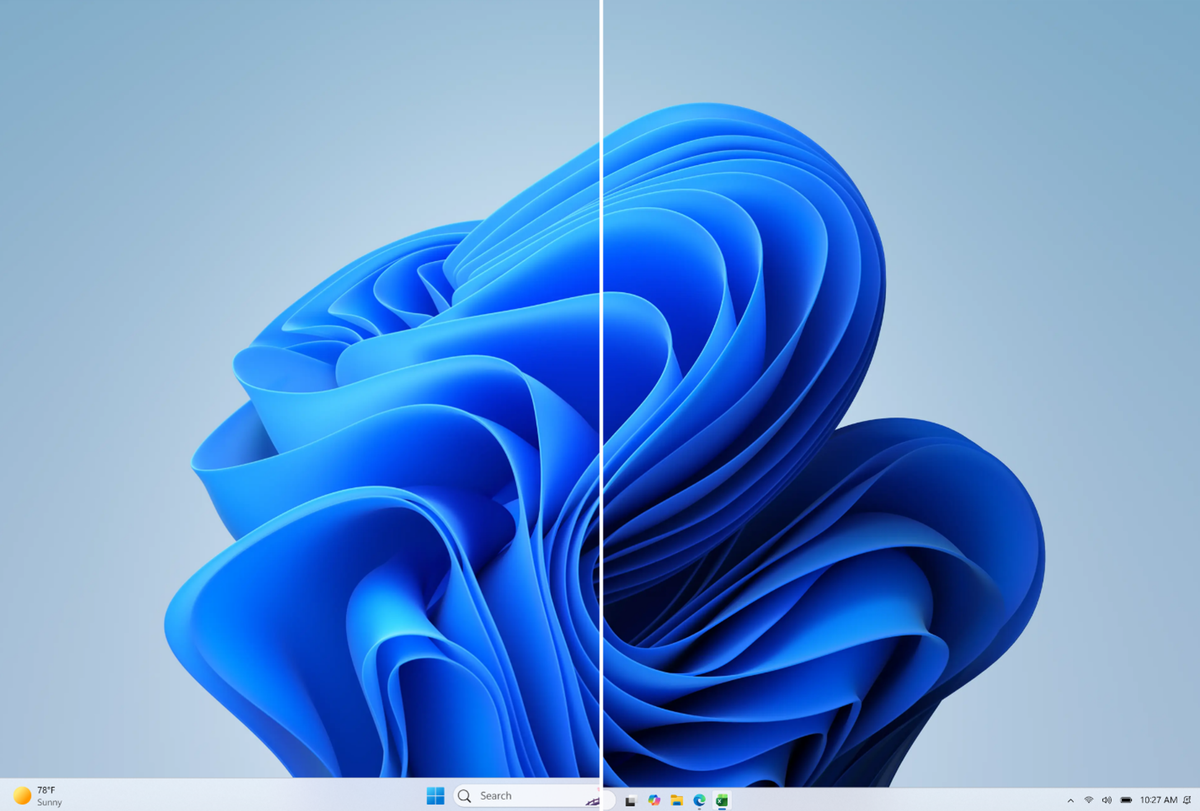
The second change is a size control at Settings > Personalization > Taskbar > Taskbar behaviors > Taskbar size. Set it to Small and both the icons and the taskbar height shrink. Start, Search and the system tray scale down with it. Microsoft says no restart or sign-out is needed.
What does not work yet
Microsoft is unusually specific about the gaps, and they matter if you were planning to switch permanently:
- Auto-hide is out. Auto-hidden and touch-optimised taskbars are not supported in the alternate positions.
- Touch gestures are incomplete. Support for touch gestures in alternate locations is, in Microsoft’s words, “in progress”.
- The Search box collapses. The Search box and Ask Copilot are also still in progress for alternate positions; in May, Microsoft said the search box would appear as an icon in the meantime.
- Small size is edge-limited. The smaller taskbar currently works only when the taskbar is at the top or bottom, not on the sides.
- No per-monitor positions. Different taskbar positions per monitor and drag-and-drop are described as things Microsoft is “evaluating”, not building.
One more caveat: the release notes do not say whether these settings are switched on for everyone who installs the build, and Windows watcher PhantomOfEarth asked on 1 August whether Insiders on build 26220.9022 were seeing the taskbar options at all. Do not be surprised if you update and the setting is not there.
Five years is a long time to wait for a setting
Diego Baca of Microsoft wrote in the May announcement that moving the taskbar to the top or sides of the screen “has been one of the most requested features, and we are bringing it to Windows 11.” True, and welcome. It is also worth being clear about what is being celebrated: Windows 10 already did this. Windows 11 removed it in 2021 along with a long list of other taskbar behaviour, and Microsoft is now spending engineering effort restoring capability that users did not ask to lose. The smaller taskbar is the same story: it exists because Windows 11’s roomier default eats screen space on the cheap 14-inch laptops that sell in volume in India. Treat this as a correction, not a gift.
This work sits inside the broader Windows 11 quality push Microsoft reported progress on last week, where taskbar and Start personalisation were listed among the items held for a fall rollout rather than the August cumulative update. The Start menu side of that effort reached all users earlier this year.
When will it reach your PC?
Not yet, unless you are an Insider. The taskbar options are in Beta Channel build 26220.9022 and Experimental build 26300.9032, both based on Windows 11 version 25H2 via an enablement package. To try them you would need to join the Windows Insider Program at Settings > Windows Update > Windows Insider Program and switch to the Beta Channel, which is not something to do on a machine you depend on. For everyone else, Microsoft has committed only to a fall rollout for this category of change, with no date.
Sources: Windows Insider Blog, Microsoft Learn release notes, Windows Insider Blog (May)
