
Apple released the first macOS 27 Golden Gate public beta on Monday, July 13, 2026, roughly a month after the software first appeared as a developer beta at WWDC on June 8. Public betas of iOS 27 and iPadOS 27 landed the same day, so this is part of a wider Apple beta wave — but for Mac owners, the news that actually matters is not a feature. It is a pair of hardware gates that decide whether your machine is still invited to the party.
Two things set this release apart before you get anywhere near the new toys. First, macOS 27 Golden Gate is Apple’s first Mac operating system that runs only on Apple Silicon — every Intel Mac is permanently frozen on macOS Tahoe 26, with no upgrade path. Second, even among Apple Silicon Macs, the headline feature — the rebuilt Siri AI — is locked behind an M3 chip and 12GB of memory. So the tidy marketing line “Siri AI comes to the Mac” quietly carries a second meaning for a lot of readers: you may need to buy a new Mac. We will take the gates first, and the features after.
Which Macs can run the macOS 27 Golden Gate public beta
If your Mac has an Apple Silicon chip (M1 or newer), it can install the beta. Here is the full compatibility list:
- MacBook Air — 2020 and later (M1 and later; the early-2020 Intel Air does not qualify)
- MacBook Pro — 2020 and later (M1 and later)
- iMac — 2021 and later
- Mac mini — 2020 and later (M1 and later)
- Mac Studio — 2022 and later
- Mac Pro — 2023 and later
- MacBook Neo — 2026, the new model
Macs that lose support entirely
These four Intel Macs are cut off. macOS Tahoe 26 is their final supported version — they will not receive Golden Gate now or ever:
- MacBook Pro 16-inch (2019)
- MacBook Pro 13-inch (2020) — the four Thunderbolt 3 ports model
- iMac 27-inch Retina 5K (2020)
- Mac Pro (2019)
This is the first Apple-Silicon-only macOS ever, and with no Intel Macs left to support, Apple is winding down Rosetta 2, the translation layer that let Apple Silicon Macs run older Intel-only apps. If you are on one of the machines above, you are not immediately in trouble: Apple typically keeps shipping security-only updates to the last supported OS on cut-off hardware for around three more years. Treat that as Apple’s usual practice rather than a promise specific to this release — the company has not committed to a fixed window for Tahoe 26 on Intel. Plan for a hardware refresh over the next couple of years rather than the next couple of months.
The Siri AI catch: M1 and M2 Macs are invited, but not fully
Here is the gate that is easy to miss. Being able to install macOS 27 is not the same as getting its marquee feature. The rebuilt Siri AI — conversational back-and-forth, awareness of context across apps, natural-language automation — requires at minimum an Apple M3 chip and 12GB of unified memory, according to reporting from Macworld and TechTimes. This specific requirement is not yet published on an official Apple requirements page, so treat the exact numbers as reported rather than confirmed by Apple.
What that means in practice: if you own an M1 or M2 Mac, you can update to macOS 27 Golden Gate, but you will not get the new Siri experience that the entire release is being sold on. You get the redesign and the smaller changes; the AI assistant that justifies the upgrade stays greyed out. For anyone weighing whether Golden Gate is worth the risk of running beta software, that is the single most important line in this post — the flagship feature has a higher bar than the operating system itself.
How to install the macOS 27 Golden Gate public beta
Enrolling is free and does not require a paid developer account. The steps:
- Go to beta.apple.com and enroll your Apple ID in the free Apple Beta Software Program.
- On the Mac, open System Settings → General → Software Update.
- Click the “i” info button next to Beta Updates.
- From the dropdown, select “macOS 27 Golden Gate Public Beta.”
- Click Done, then check for updates and install.
Do not put this on your only Mac
This is beta software, and Macworld’s advice is worth repeating plainly: do not install it on your primary or only machine. Betas can cause system instability, apps that fail to launch, and data loss. If you have a secondary or spare Mac, use that. If you only have one Mac and still want to try it, take a full Time Machine backup first and make sure you have enough free storage before updating. The final, stable release is only a couple of months away — for most people, waiting is the sensible call.
What’s new in macOS 27 Golden Gate
With the eligibility questions out of the way, here is what the update actually brings — on the Macs that qualify for each piece.
The rebuilt Siri AI
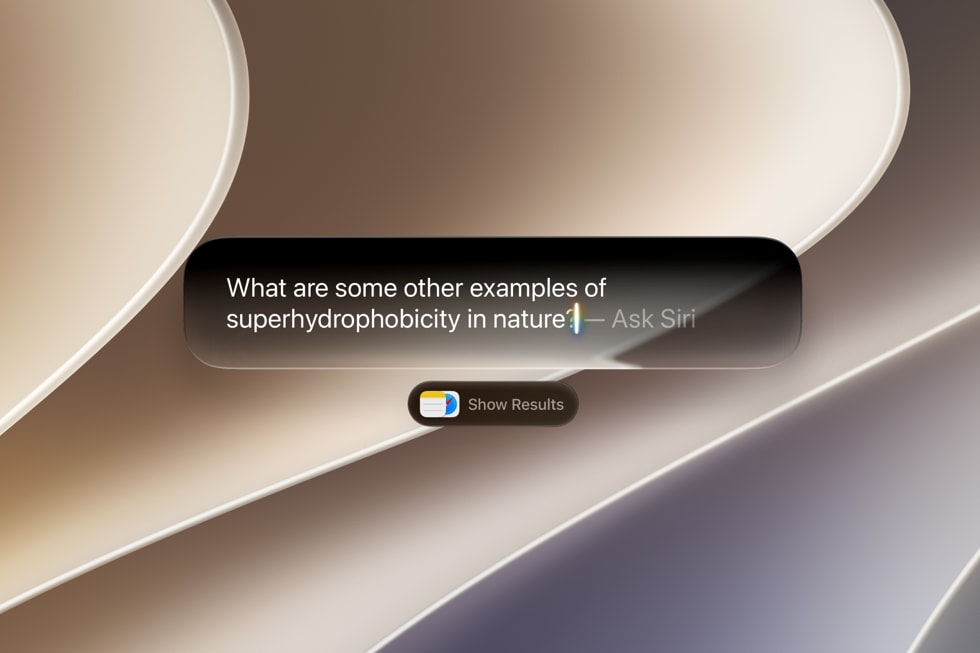
The new Siri lives in Spotlight, summoned with Cmd+Space, and behaves more like a conversational assistant than the old command-taker. It can search the web, take actions inside and across apps, and there is a dedicated Siri app that keeps a history of your conversations. It can also search your personal data — Photos, Mail and Messages — to help you find things.
That last part is a convenience, but it is also a privacy tradeoff worth stating clearly rather than glossing over. To answer questions about your own stuff, Siri indexes your Photos, Mail and Messages. Apple positions this as on-device work, but it still means a system-level assistant building a searchable index across your most personal apps. If that is a trade you are comfortable with, fine — but it should be a decision you make knowingly, not a default you discover later.
Visual Intelligence, Write with Siri, and design changes
- Visual Intelligence — triggered with
Cmd+Shift+Space, it analyzes on-screen content, and a right-click “Ask Siri” menu lets you ask questions about images. - Write with Siri — AI text generation, grammar correction and review built into apps.
- Refined Liquid Glass design — a new adjustable transparency slider, less dramatically rounded window corners than Tahoe, uniform toolbars and edge-to-edge sidebars.
The rest of it, in brief
- Spotlight — faster and more reliable search thanks to rebuilt indexing.
- Safari — a natural-language extension builder.
- Shortcuts — you can now create shortcuts from natural-language prompts instead of building them manually.
- Screen Time — redesigned, with customizable Time Allowances and enhanced parental controls.
When will the final version arrive?
Apple has not officially dated the stable release, but it is expected in the fall of 2026 — most likely September, alongside the next iPhones, going by the company’s usual schedule and reporting from Mac outlets. Until then, the public beta is your only way to try Golden Gate, and the safe way to do that is on hardware you can afford to have break. If you are on a supported Apple Silicon Mac and want the full Siri AI, check that you are on an M3 or newer with at least 12GB of memory first — otherwise you will get the update without the feature that headlines it.
Sources: MacRumors, 9to5Mac, Macworld, mac.install.guide, Apple Newsroom
