
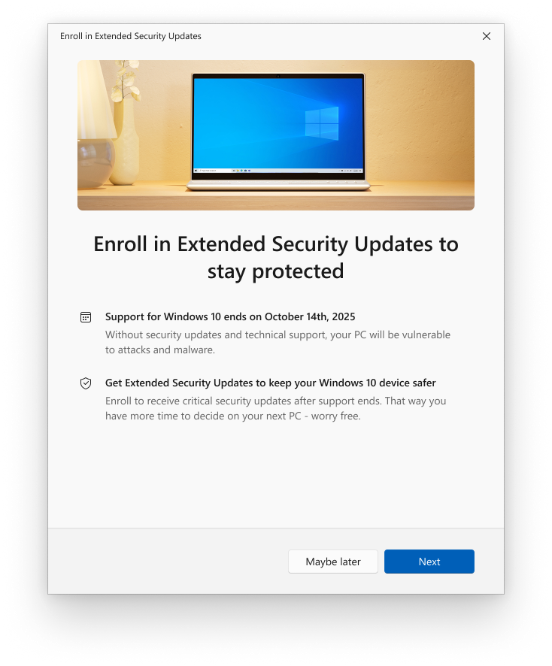
Still running Windows 10 and wondering how long you can keep it safe? The Windows 10 ESU program is the answer, and it now runs longer than most people realise. Windows 10 reached end of support on October 14, 2025, which means Microsoft stopped shipping feature updates, quality fixes, and security patches for the operating system. The Extended Security Updates (ESU) program is the official way to keep receiving monthly security patches after that date, and Microsoft has quietly pushed the free consumer deadline out to October 12, 2027.

ESU delivers the monthly “critical and important” security updates that keep your PC protected against new threats. It does not turn Windows 10 into a permanently supported OS, but it does buy you time to plan your next move without leaving your machine exposed.
Does your PC qualify for Windows 10 ESU?
Before anything else, check two things. Your PC must be running Windows 10, version 22H2 — earlier versions are not eligible. You also need to sign in with an administrator-level Microsoft account. Child and other family accounts do not qualify for enrollment. If you are on a local account, you will be prompted to sign in with a Microsoft account to complete the process.
If both boxes are ticked, you enroll from Settings > Update & Security > Windows Update, where an “Enroll now” option appears.
Three ways to enroll (two are free)
Microsoft offers three consumer enrollment paths, and two of them cost nothing:
- Free — Windows Backup: Back up and sync your PC settings to your Microsoft account using Windows Backup, and enrollment is free.
- Free — Microsoft Rewards: Redeem 1,000 Microsoft Rewards points to enroll at no cash cost.
- Paid — one-time purchase: A single payment of $30 USD “or local currency equivalent plus applicable tax.”
On the pricing: Microsoft’s India page does not publish an exact rupee figure. The actual ₹ amount appears inside the enrollment wizard at checkout. As a rough guide, $30 works out to roughly ₹2,600 at current conversion — but treat that as an approximate USD conversion only, not Microsoft’s official India price. The figure you see in the wizard is the one that counts.
The deadline moved to October 2027 — quietly
Here is the part worth knowing. The consumer ESU program was originally set to end on October 12, 2026, exactly one year after Windows 10’s end of support. Microsoft has since extended coverage through October 12, 2027 — a full second year, still available through the same free and paid enrollment options.
Microsoft made the change quietly, without a dedicated announcement, updating its support documentation and adding an editor’s note to an existing blog post instead of issuing a press release. If you have already enrolled in ESU, you do not need to do anything: your coverage automatically continues to the new October 12, 2027 date, with no re-enrollment required.
What ESU does not give you
ESU is strictly a security patch pipeline. It does not include new features, non-security bug fixes, design changes, or general technical support. Microsoft will only help with issues relating to ESU enrollment itself — not with Windows 10 problems in general. In other words, your PC keeps getting protected, but it stops evolving.
For organizations, the enterprise ESU route via volume licensing is priced separately — $61 per device for Year One, doubling each year for up to three years — but that is a business track, not the consumer program covered here.
One related date: Office updates run to 2028
Separately from the OS-level ESU program, Microsoft 365 Apps (Office) will keep receiving security updates on Windows 10 devices until October 10, 2028 — three years after Windows 10’s end of support, and even without an ESU subscription. This is a different program from Windows ESU, so do not confuse the two dates: the operating system’s free security cover ends in October 2027, while Office security updates continue to October 2028.
The honest takeaway
Your Windows 10 PC will keep working without ESU — it simply stops getting security patches, and that risk grows over time as new vulnerabilities go unfixed. ESU is explicitly a bridge, not a permanent solution. Microsoft’s own recommendation is to upgrade eligible PCs to Windows 11 or move to a new Windows 11 machine. Enroll in ESU to stay safe through 2027, but use that runway to plan your upgrade rather than to postpone it indefinitely.
Sources: Microsoft — Windows Extended Security Updates, Microsoft Learn — Extended Security Updates, Microsoft — Windows 10 end of support
