
Your ChatGPT chats can end up in court, and nothing about the way they are stored stops that from happening. A Washington Post investigation published on 27 August found chatbot conversations cited in 12 public court cases in the United States over the past two years — criminal prosecutions, civil suits and employment disputes — and reported that the real number is almost certainly higher, because most evidence gathered during investigations never becomes public.
That number is small. What makes it worth your attention is how ordinary the routes into court are. According to the Post’s review, chats reached lawyers and police through a phone search the owner consented to, through a subpoena, through the discovery process in a lawsuit, and in one instance through OpenAI itself reporting a user to the FBI. None of those require a novel legal theory. They are the same mechanisms that have applied to your texts and email for two decades — and people type things into a chatbot that they would never put in an email.
Why ChatGPT chats in court are not protected
Conversations with a lawyer, a doctor or a therapist are covered by legal privilege. US courts have not recognised any equivalent privilege for conversations with a chatbot, and one has now said so directly. In a New York federal case, financial executive Bradley Heppner argued prosecutors should not be allowed to read his exchanges with Anthropic’s Claude about possible fraud defences. The judge ruled the chats were not privileged, on the grounds that Claude is not a lawyer and Heppner’s own attorneys had not told him to consult it. Heppner was convicted in May of securities fraud, wire fraud and other charges.
Two of the cases the Post examined show how mundane the mechanics are. Missouri State University student Ryan Schaefer, accused of damaging 17 cars in a campus car park, agreed to let officers search his phone; they found the ChatGPT messages he had sent shortly afterwards, and he pleaded guilty to felony property damage. In a Michigan employment dispute, a tire salesman’s question to ChatGPT about whether deleted emails could still be retrieved was pulled in through discovery and used by his former employer to argue he had tried to hide evidence.
Andrew Ferguson, a law professor at George Washington University who studies digital surveillance, said chatbot records may be only the start as AI tools take on more tasks and gain access to more personal data:
Your entire world is going to now be available for police.
OpenAI chief executive Sam Altman has publicly argued that AI conversations deserve stronger privacy protections. That is a position, not a protection — courts have not recognised any such privilege, and until they do, the gap between how private a chat window feels and how private it actually is stays exactly where it is. It is worth noticing that the company asking for privilege is also the company that decides when to hand a conversation to the FBI. Per the Post, OpenAI disclosed data from more than 80 accounts to government and law-enforcement requests in the second half of 2025, more than four times the figure for the same period a year earlier.
What you can actually change in ChatGPT
These steps come from OpenAI’s own help documentation and describe ChatGPT on the web; the Android and iOS apps carry the same controls but place them differently. They reduce what is sitting in your account. Read the caveat at the end before you assume they do more than that.
- Use Temporary Chat for anything sensitive. Open a new chat and click the pill-shaped
Temporarybutton in the top-right corner of the page, then choose whether you want personalised responses before the conversation begins. Temporary chats do not appear in your history, do not create memories, and are not used to train OpenAI’s models while they remain temporary. OpenAI does say it may still keep a copy for up to 30 days for safety purposes. - Know that saving a temporary chat undoes this. If you save one, it becomes a regular chat in your history and follows your account’s normal personalisation and model-improvement settings from that point on.
- Delete individual chats rather than archiving them. Hover over the conversation in the sidebar, open its options menu and choose
Delete. Archiving only hides a chat — OpenAI’s documentation is explicit that archived chats remain in your account under standard retention settings. - Clear the backlog in one go. Go to
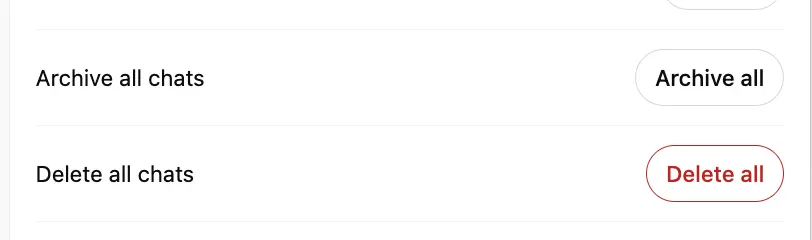
Settings>Data controls, which has options to archive or delete all chats at once, and a Manage button next to Archived Chats for anything you archived earlier. Deleted chats cannot be restored through the interface, the API or support. - Opt out of model training. OpenAI’s privacy portal at
privacy.openai.comhas a do-not-train-on-my-content option. Once you opt out, new conversations are not used to train its models. Note that if you give feedback with a thumbs up or thumbs down on a response, OpenAI says the entire conversation attached to that feedback may still be used for training.
The caveat that matters most
None of this creates legal privilege, and none of it stops a subpoena, a discovery request or a phone search you consent to. Deletion is not instant either: OpenAI’s documentation says a deleted chat is scheduled for permanent deletion from its systems within 30 days, unless the company must retain it for security or legal obligations. A live legal hold sits above your delete button.
The practical takeaway is older than AI. Treat a chatbot window as a written record that someone else stores, not as a diary — the same working assumption you should already apply to the trackers running quietly in your browser. If a question is genuinely sensitive — medical, legal, financial, or about anything you would not want read aloud — the safest place to ask it is still a person who owes you confidentiality.
Sources: The Washington Post, via TechSpot; OpenAI Help Center
